Experiments
Run controlled experiments, target the right users and read the impact on your primary metric.
Experiments list#
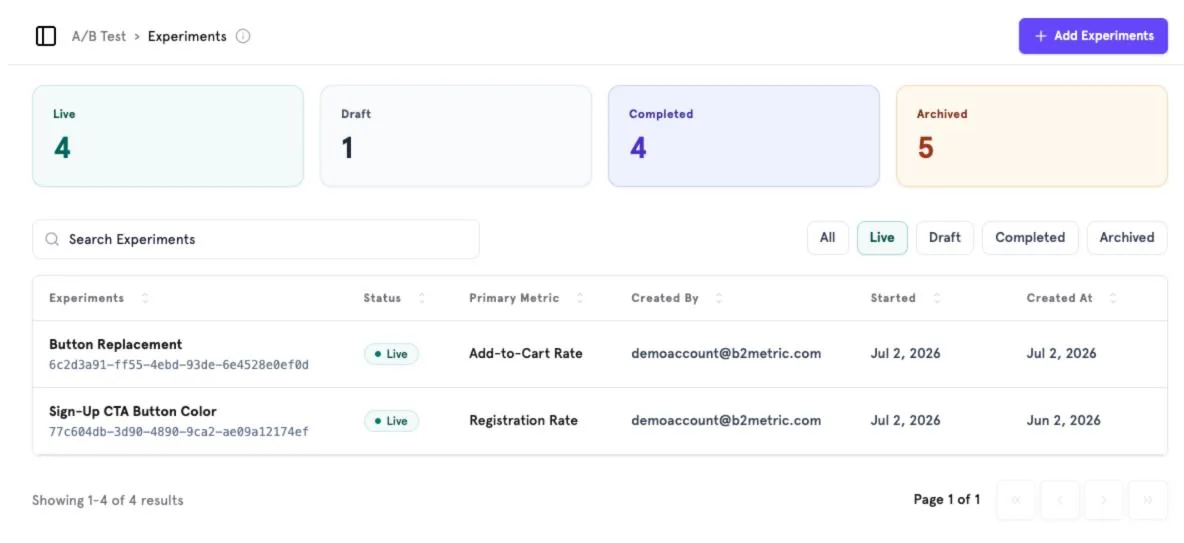
A/B Test → Experiments shows counts by status (Live, Draft, Completed, Archived) and every experiment with its primary metric, creator and dates. Click Add Experiment to create one.
Set up an experiment#
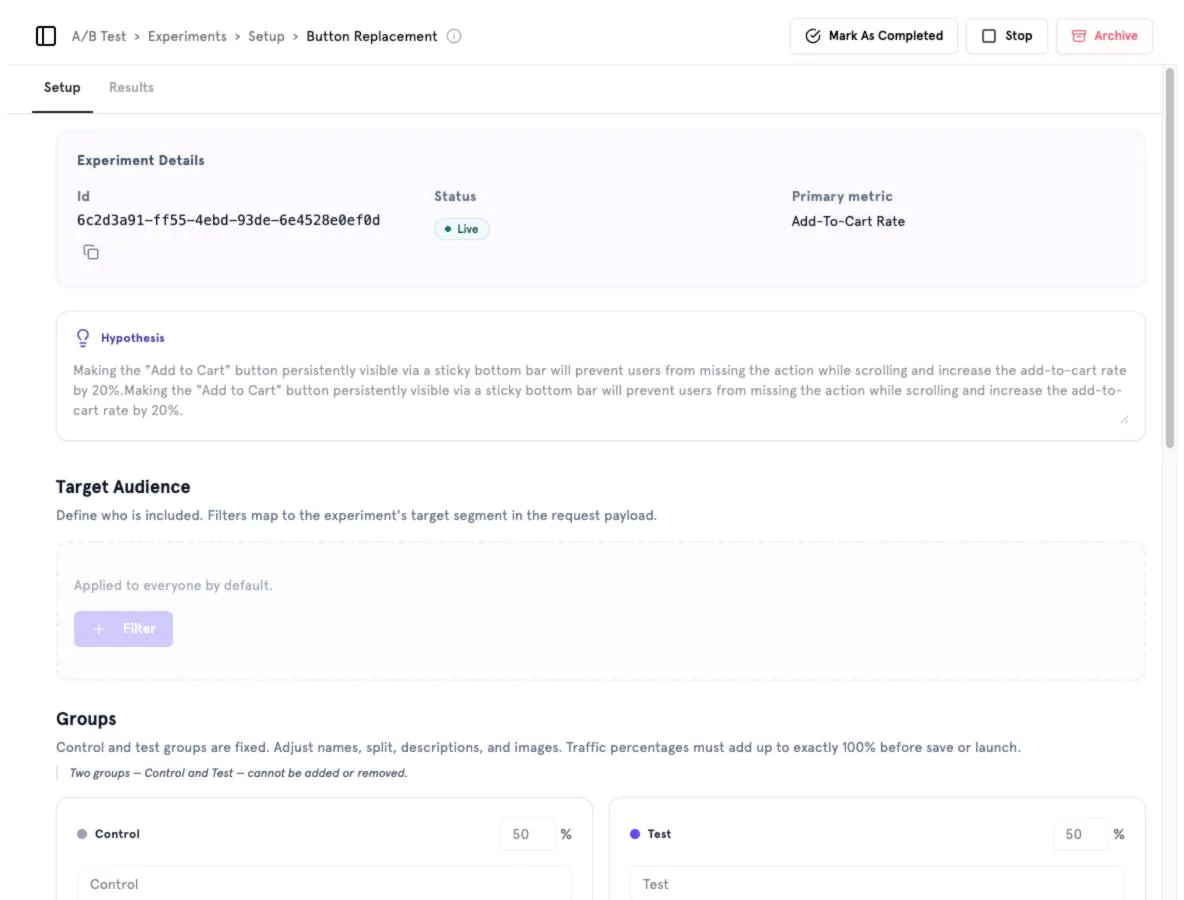
- Experiment details — ID (copyable for your developers), status and primary metric.
- Hypothesis — what you change and the expected effect.
- Target audience — filters that decide who enters the experiment. Applied to everyone by default.
- Groups — a fixed Control and Test group. Adjust names, split, descriptions and images; traffic must add up to exactly 100%.
Use Mark As Completed, Stop or Archive at the top to change the experiment's lifecycle.
Read results#
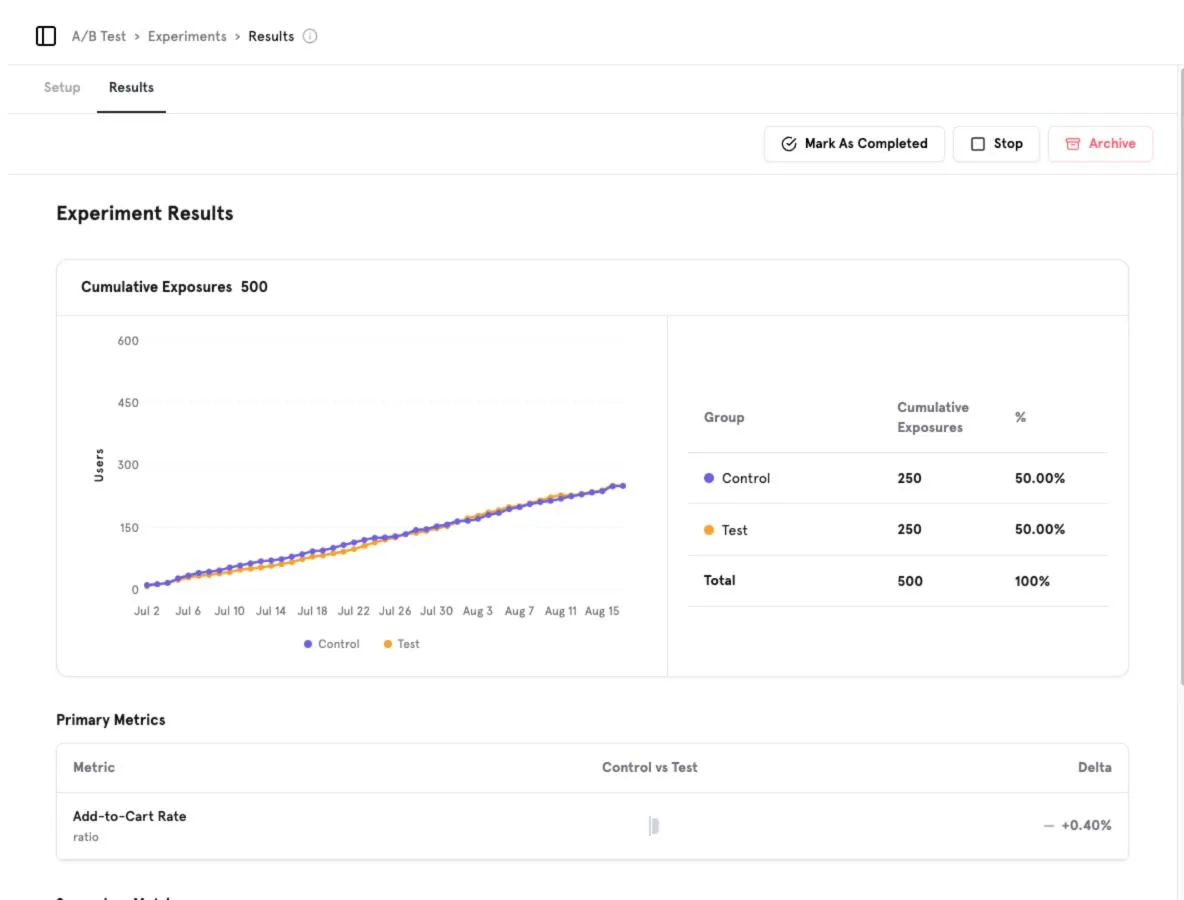
The Results tab shows cumulative exposures per group over time and, for each primary metric, Control vs. Test and the delta. Primary metrics are defined in Metrics.
Was this page helpful?
Screenshots captured from the B2Metric E‑Commerce demo workspace, October 2026.