Journey Orchestration
Design automated, multi-step customer journeys with a drag-and-drop builder and launch them on any channel.
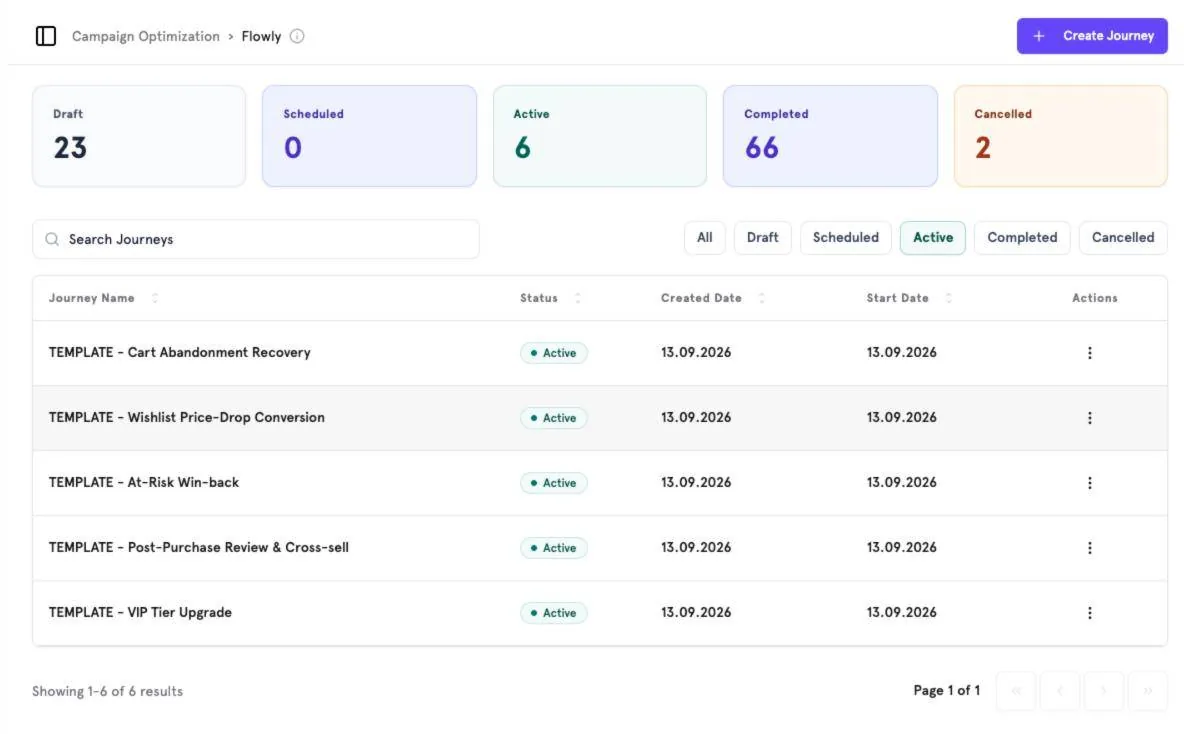
Journey list#
The top of the page counts journeys by status — Draft, Scheduled, Active, Completed, Cancelled. Filter the list by status or search by name. Click Create Journey to start a new one.
Start from a template#
Templates such as Cart Abandonment Recovery, Wishlist Price-Drop Conversion, Win-Back, Post-Purchase Review & Cross-sell and VIP Tier Upgrade come pre-built. Open one to see how it works.
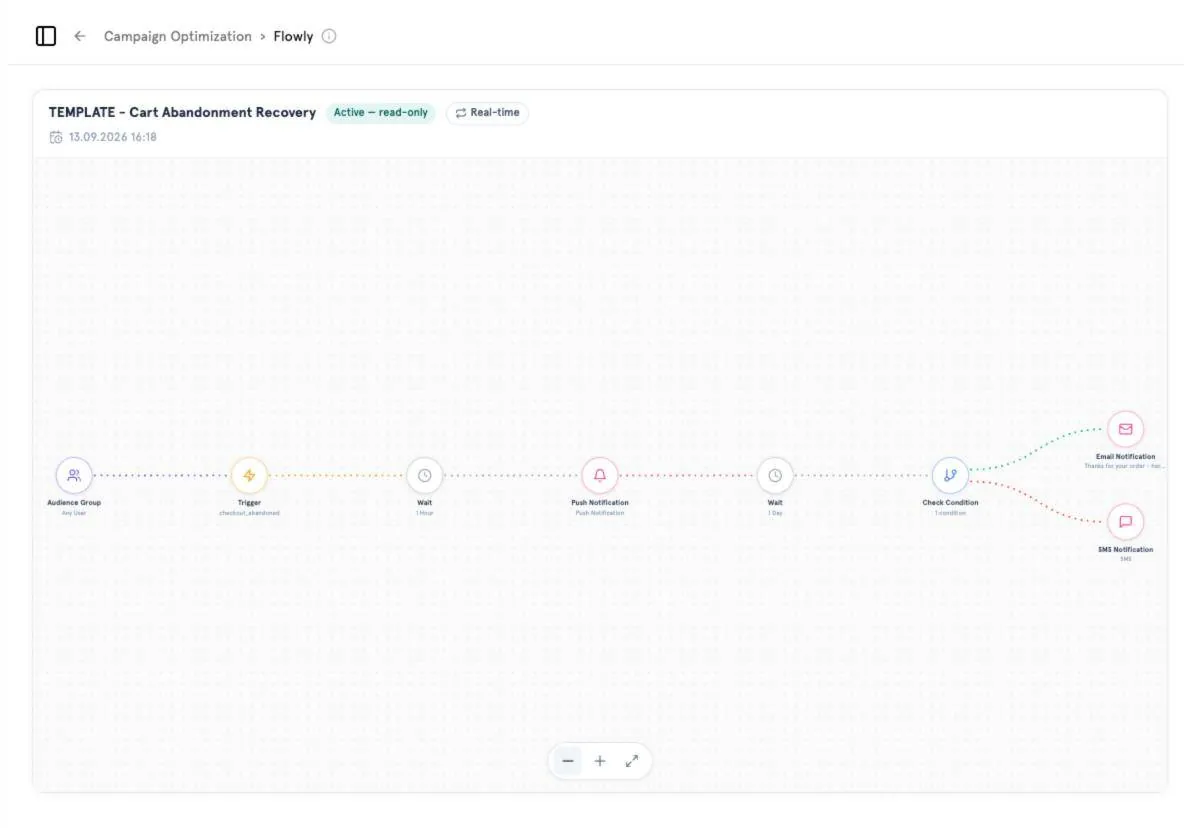
Build a journey#
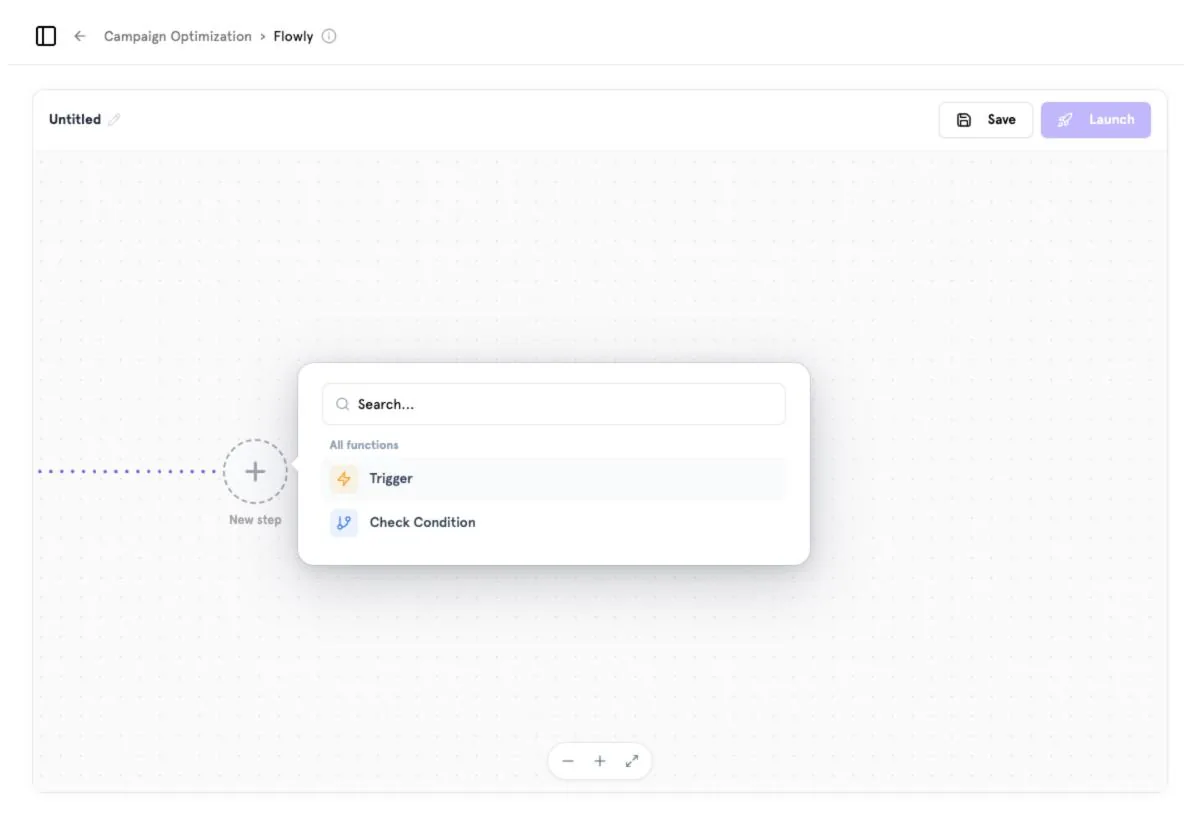
Add steps
Click + New step and choose a function: a Trigger, a Check Condition, a wait, or a channel message.
Branch
Check Condition splits users into paths (e.g. converted vs. not converted) so each gets a different follow-up.
Save and launch
Name the journey, click Save, then Launch when it is ready.
Start from a segment
On any segment, click Create Campaign Flow to open a new journey with that audience already selected.
Screenshots captured from the B2Metric E‑Commerce demo workspace, October 2026.