Asky
Ask anything about your data in plain language. Asky picks the right events, runs the analysis and explains what it found — with charts, insights and suggested follow-up questions.
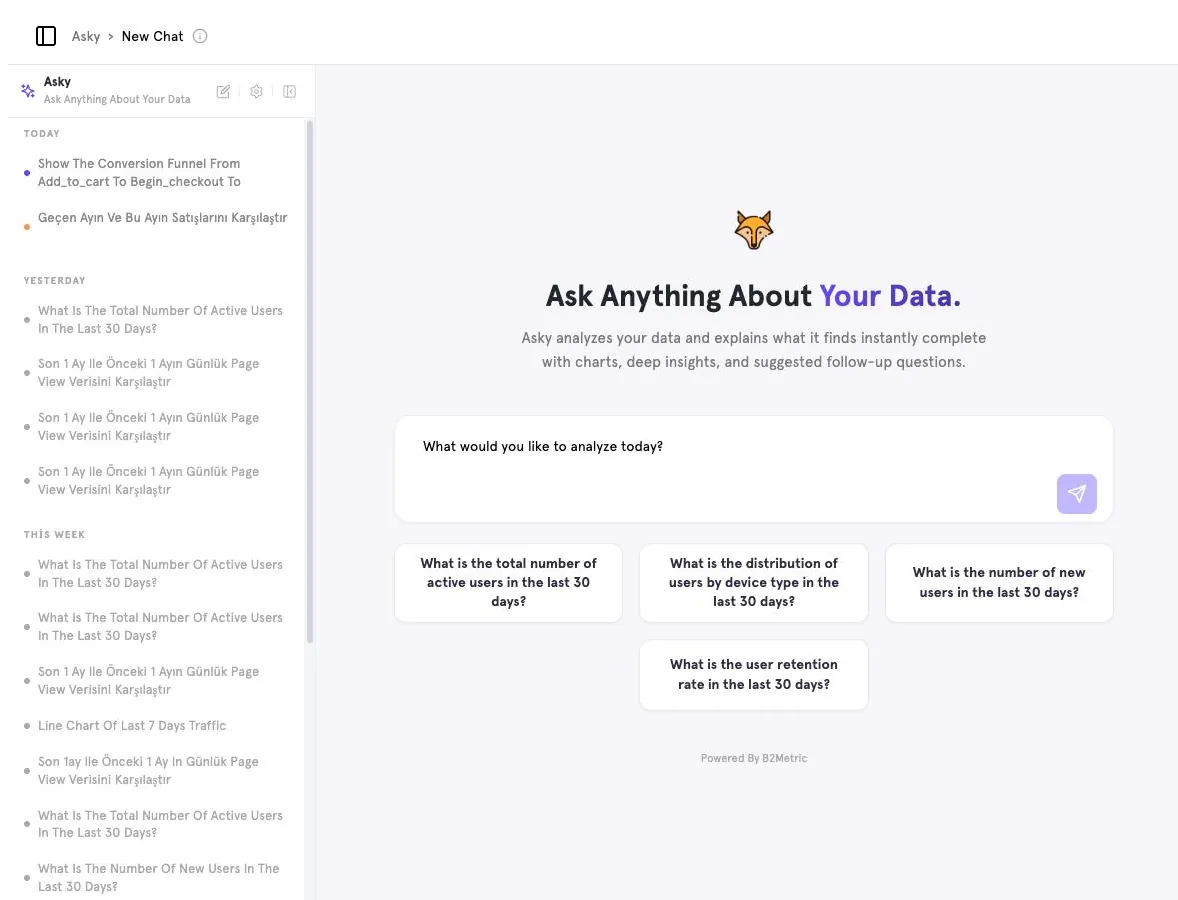
Ask a question#
Open Asky
Click Asky in the sidebar. You start in a New Chat.
Type or pick a question
Write your question in the “What would you like to analyze today?” box, or click a suggested question to get started.
Follow up
Keep asking in the same chat — Asky keeps the context, so you can say “now split it by device”.
What an answer contains#
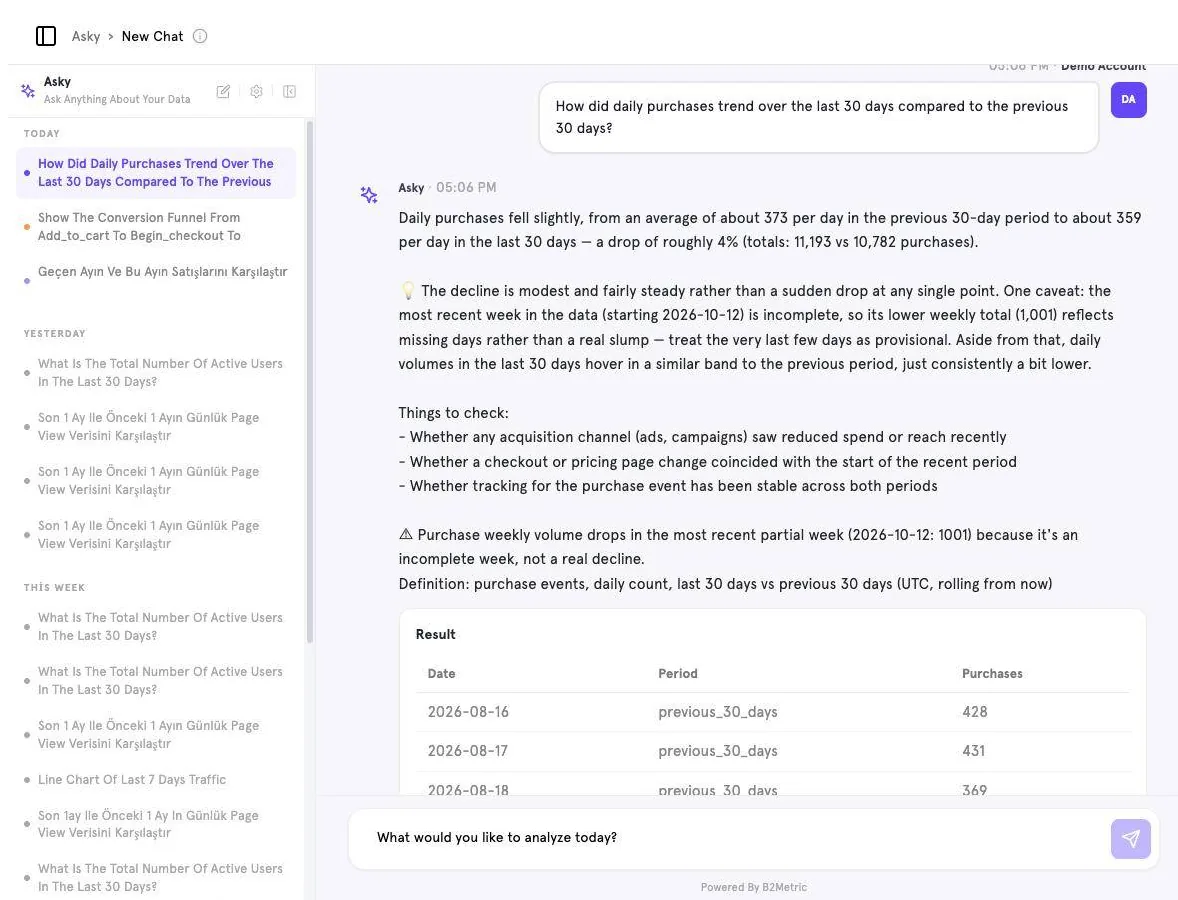
- Summary — the headline number and how it changed.
- Interpretation — whether the change is a trend or noise, and caveats such as an incomplete current week.
- Things to check — concrete hypotheses to investigate next.
- Definition — exactly which event, aggregation and time window were used, so you can reproduce the result.
- Result — the underlying table or chart.
Good questions to try#
What is the total number of active users in the last 30 days?
Show the conversion funnel from add_to_cart to begin_checkout to purchase.
What is the distribution of users by device type in the last 30 days?
How did daily purchases trend over the last 30 days compared to the previous 30 days?
Be specific
Name the event, the time window and the comparison you want. “Purchases per day, last 30 days vs previous 30” gets a sharper answer than “how are sales?”.
Conversation history#
The left panel lists your chats grouped by Today, Yesterday and This week. Click a chat to reopen it, or use the edit icon to start a new one.
Asky inside other pages#
Several pages have an Analyze with AI button (Dashboards, Churn Prediction). It opens Asky in a side panel with questions tailored to the page — for example, explaining a model's confusion matrix.
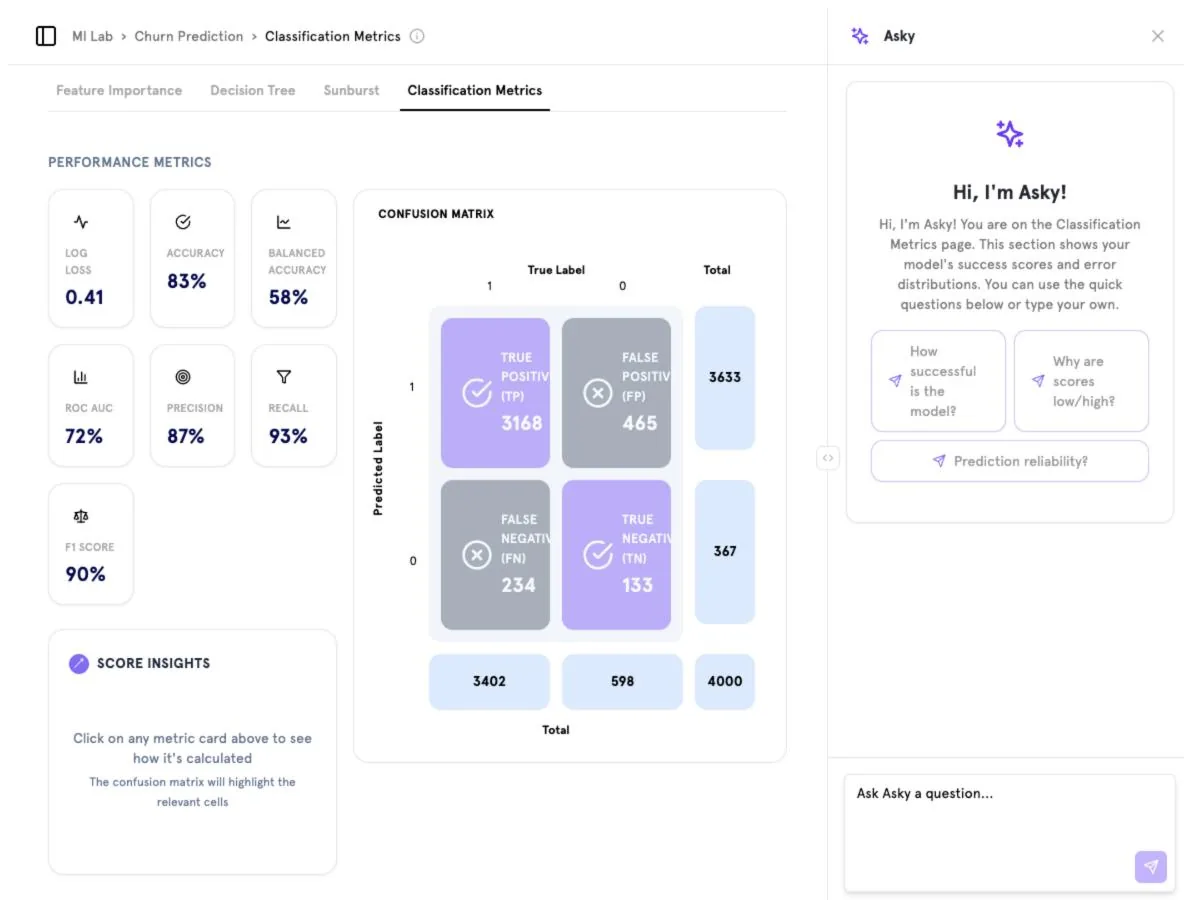
Screenshots captured from the B2Metric E‑Commerce demo workspace, October 2026.