Segments
Define audiences from behavior and properties, keep them fresh automatically, and send them to your marketing destinations.
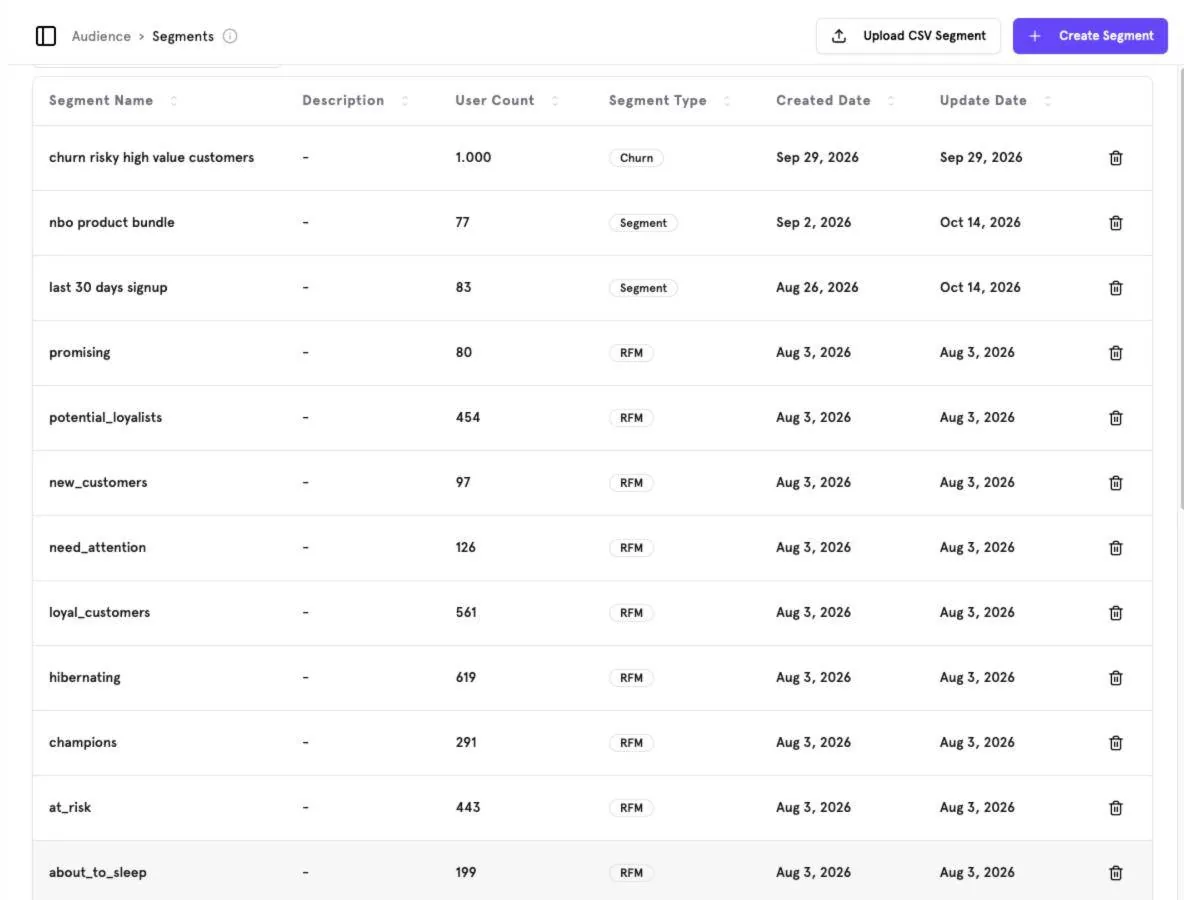
Create a segment#
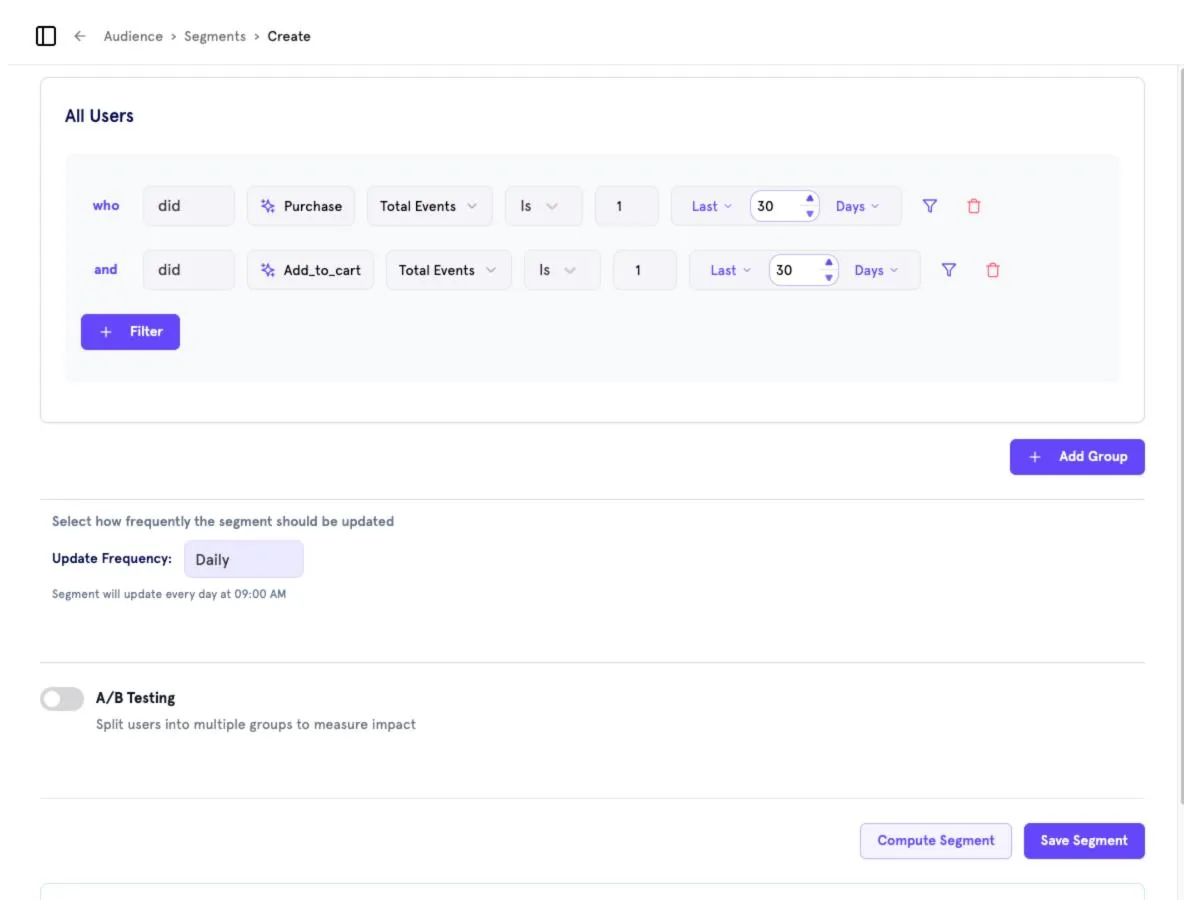
Add filters
Click Filter and build conditions like who did
Purchase· Total Events · Is · 1 · Last 30 Days. Combine conditions with and.Add groups
Use Add Group to combine several condition groups.
Set the update frequency
Choose how often the segment is recomputed (e.g. Daily — the segment updates every day at 09:00).
Optional: A/B Testing
Turn on A/B Testing to split the segment into groups and measure campaign impact.
Compute and save
Click Compute Segment to preview the size, then Save Segment.
Segment details and destinations#
Open a segment to see its user count, type and creation date, and the destinations it syncs to.
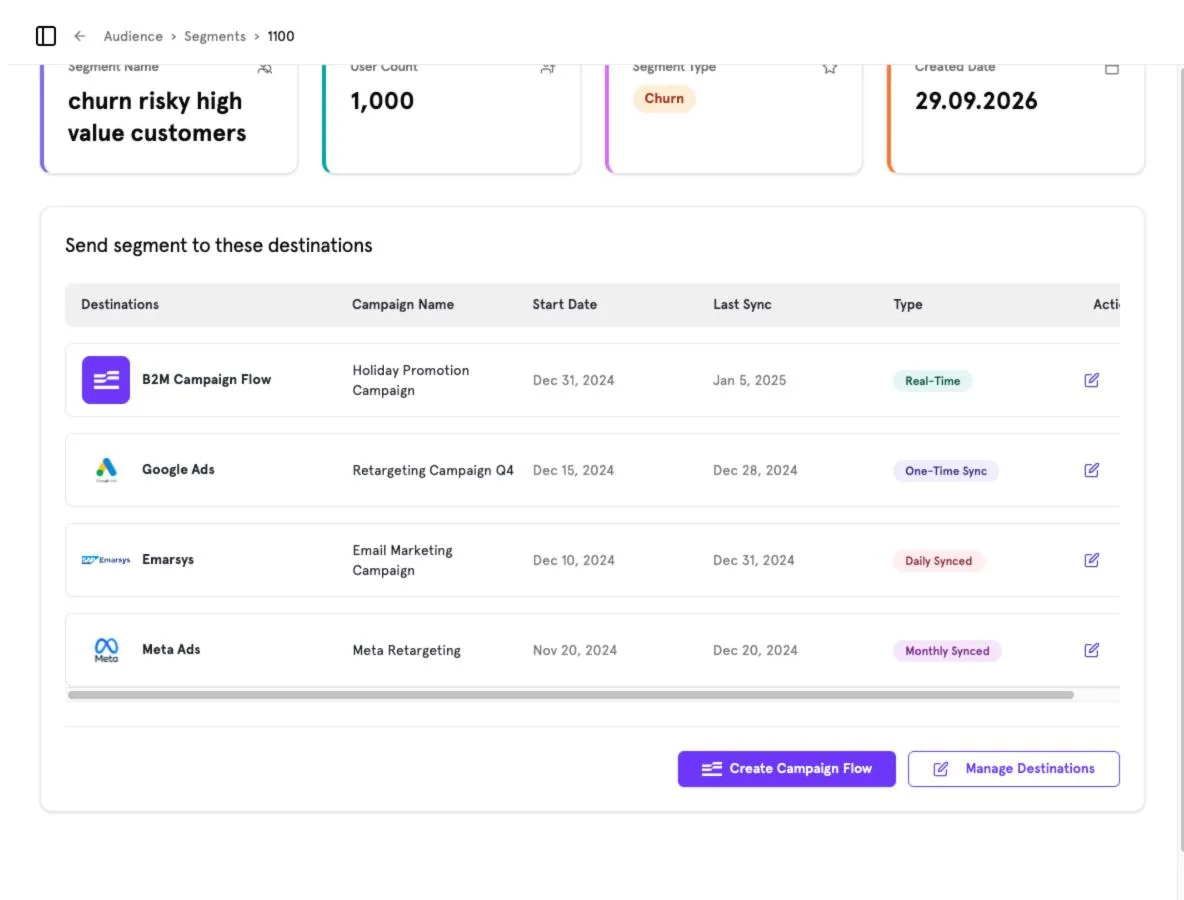
| Sync type | Meaning |
|---|---|
| Real-Time | Changes are pushed as soon as users enter or leave the segment. |
| One-Time Sync | The audience is sent once. |
| Daily / Monthly Synced | The destination is refreshed on a schedule. |
Use Create Campaign Flow to start a Journey Orchestration journey for this segment, or Manage Destinations to add or edit destinations.
Screenshots captured from the B2Metric E‑Commerce demo workspace, October 2026.